
WeddingAI.videoบล็อก
Free Wedding Video Making Tools: The Complete 2026 Guide
Discover the best free wedding video making tools in 2026. Compare AI-powered platforms, mobile apps, and desktop editors for stunning results on any budget.
อ่าน 10 นาที
"I just want something simple and free."
That's what Jake told his sister when she asked about his wedding video plans. He and his wife had eloped in a tiny courthouse ceremony with just two witnesses — no photographer, no videographer, just their phones and their love.
Six months later, Jake had 47 video clips scattered across three phones, zero editing experience, and a growing guilt that those memories were trapped in a digital shoebox they'd never open.
"I figured free tools would give me something mediocre at best," Jake admits. "But I was wrong. The video we made — for nothing — made my mom cry. That's all I needed."
Jake's story illustrates a truth that's become undeniable in 2026: you don't need a big budget to create a beautiful wedding video. You need the right tools and a little guidance.
This guide covers every free and affordable option available for creating wedding videos, from AI-powered platforms to traditional editors, mobile apps to desktop software. We'll be honest about what each tool can and can't do, so you can make the best choice for your situation.
Understanding "Free" in the Video Editing World
The Free Tier Landscape
Before we dive in, let's clarify what "free" actually means in this space. Most video tools fall into one of these categories:
**Truly free** — No watermarks, no time limits, no hidden costs. These are rare but they exist.
**Freemium** — Free tier with limitations (watermarks, lower resolution, fewer features) and paid upgrades for the full experience.
**Free trial** — Full access for a limited time (usually 7-30 days), then requires payment.
**Free with trade-offs** — Free if you watch ads, share data, or accept significant quality limitations.
We'll cover all categories but be transparent about which is which. No one likes discovering a watermark on their wedding video after spending hours editing it.
AI-Powered Free Wedding Video Tools
WeddingAI Video Free Tier
Let's start with what we know best. WeddingAI Video offers a free tier that lets you:
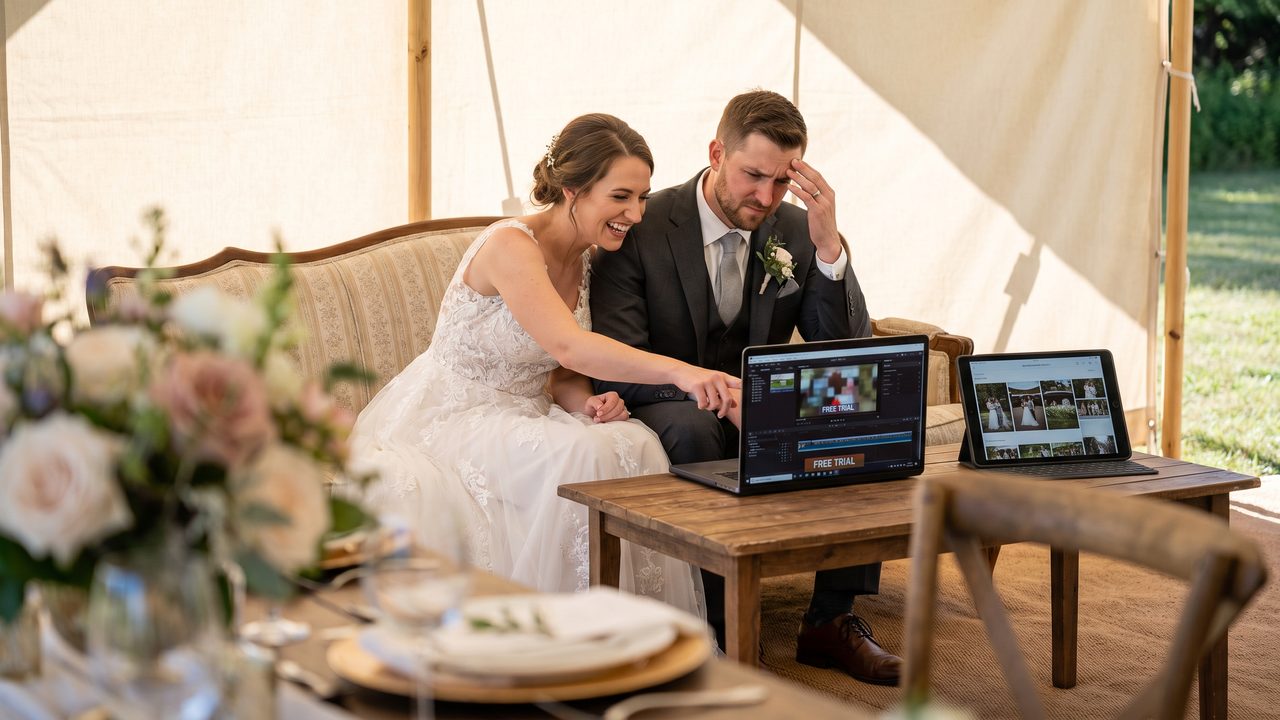
- Upload up to 30 minutes of footage
- Generate a highlight reel preview
- Choose from multiple cinematic styles
- Export in 720p without watermarks on previews
The free tier is designed to give you a genuine feel for the tool before committing. The preview quality is good enough for personal sharing, though upgrading unlocks 4K export, longer videos, and advanced features like slow-motion enhancement and vintage restoration.
**Best for:** Couples who want to try AI editing with zero risk and see if the results meet their expectations.
**Limitations:** 720p export, single video length cap, limited style options in the free tier.
CapCut
CapCut has become one of the most popular free video editors globally, and for good reason:
- **Completely free** with no watermarks
- AI-powered features including auto-captions, scene detection, and style transfer
- Extensive template library including wedding-specific designs
- Available on mobile (iOS/Android) and desktop (Windows/Mac)
- Direct integration with TikTok for easy sharing
**Best for:** Couples who want a versatile free editor with AI features and don't mind spending some time learning the interface.
**Limitations:** Not wedding-specific; requires manual editing effort; AI features are helpful but not as sophisticated as dedicated wedding platforms.
Canva Video
Canva's video editor has grown significantly and offers:
- Free tier with thousands of templates (including wedding themes)
- Drag-and-drop interface that's genuinely beginner-friendly
- Stock music library, though limited in the free tier
- Team collaboration features for couples editing together
- Export in 1080p on the free tier
**Best for:** Couples who want beautiful templates and don't need advanced editing features. Great for simple highlight reels and slideshows.
**Limitations:** Video editing capabilities are more basic than dedicated editors; premium templates and stock media require Canva Pro.
DaVinci Resolve
For couples willing to invest time in learning, DaVinci Resolve offers:
- **Industry-grade color grading** used by Hollywood professionals
- Full editing suite completely free with no watermarks
- Professional audio editing tools
- Fusion for visual effects and motion graphics
- Available on Windows, Mac, and Linux
**Best for:** Couples with some editing experience (or willingness to learn) who want professional-grade results without paying professional prices.
**Limitations:** Steep learning curve; not AI-powered; requires significant time investment to learn. Not recommended for complete beginners who want quick results.
Mobile Apps for Quick Wedding Videos
iMovie (Apple Devices)
If you have an iPhone or Mac, iMovie is already installed and completely free:
- Intuitive interface designed for beginners
- Built-in wedding-themed templates and titles
- Trailer templates that create cinematic previews automatically
- Seamless integration with your Apple photo and video library
- 4K export with no watermarks
**Best for:** Apple users who want a straightforward, no-cost editing experience.
**Limitations:** Apple-only; limited advanced features; templates can feel dated.
InShot
A popular mobile video editor with a solid free tier:
- Easy-to-use mobile interface
- Good selection of filters and effects
- Music integration and audio editing
- Text and sticker overlays
- Social media format presets
**Best for:** Quick mobile edits for social media sharing.
**Limitations:** Free version includes ads and watermarks; premium features require subscription.
VN Video Editor
Surprisingly powerful for a free mobile app:
- No watermarks on the free tier
- Multi-track timeline editing
- Speed ramping (slow motion and fast forward)
- Keyframe animation for custom effects
- Available on iOS and Android
**Best for:** Couples who want more control than template-based apps but prefer editing on their phone.
**Limitations:** Mobile-only; smaller community and fewer tutorials than major platforms.
Desktop Software Options
Shotcut
A free, open-source video editor:
- Completely free with no watermarks, ads, or limitations
- Wide format support
- Decent selection of effects and transitions
- Active community and regular updates
- Available on Windows, Mac, and Linux
**Best for:** Budget-conscious couples who want a capable desktop editor without any costs.
**Limitations:** Interface feels dated; steeper learning curve than mobile apps; no AI features.
OpenShot
Another free, open-source option:
- Beginner-friendly interface
- Good basic editing features
- Title editor for adding text overlays
- Available on all major platforms
**Best for:** Simple edits with a straightforward interface.
**Limitations:** Can be unstable with large projects; limited advanced features; no AI capabilities.
HitFilm Express
A free editor with impressive VFX capabilities:
- Professional-grade compositing and effects
- Good editing tools for standard video assembly
- Active tutorial community
- Regular updates
**Best for:** Couples who want to add creative visual effects to their wedding video.
**Limitations:** Some features require paid add-ons; learning curve for VFX features; resource-heavy.
Comparing Free Tools: What Actually Matters for Wedding Videos
The Features That Matter Most
When evaluating free tools for wedding videos specifically, here's what actually counts:
**1. Ease of use** — You want to create a video, not learn a new profession. Tools that require hours of tutorials lose to tools that work intuitively.
**2. Emotional intelligence** — Can the tool identify the emotional peaks in your footage? AI tools excel here; traditional editors require you to find and mark these moments manually.
**3. Music synchronization** — The difference between a professional-looking video and an amateur one often comes down to how well cuts match the music. AI tools handle this automatically.
**4. Output quality** — Free shouldn't mean ugly. Look for tools that export in at least 1080p without watermarks.
**5. Speed** — How quickly can you go from raw footage to finished video? This matters when you're juggling post-wedding life.
The Honest Comparison
| Feature | WeddingAI Free | CapCut | Canva | DaVinci Resolve | iMovie |
|---------|---------------|--------|-------|-----------------|--------|
| AI Scene Detection | ✅ | ✅ | ❌ | ❌ | ❌ |
| Wedding Templates | ✅ | ✅ | ✅ | ❌ | ✅ |
| Auto Music Sync | ✅ | Partial | ❌ | ❌ | ❌ |
| Watermark Free | Preview only | ✅ | ✅ | ✅ | ✅ |
| Learning Curve | Very Low | Low | Very Low | High | Low |
| Max Resolution (Free) | 720p | 4K | 1080p | 4K | 4K |
| Processing Time | Fast | Manual | Manual | Manual | Manual |
The Trade-Off Matrix
Here's the fundamental trade-off with free tools:
- **Free + Easy + Fast** = Limited features or quality (template-based tools)
- **Free + Powerful + Quality** = Requires time and skill (DaVinci Resolve, Shotcut)
- **Easy + Powerful + Quality** = Not free (premium AI tools)
Understanding this triangle helps you choose the right tool for your situation. If you have more time than money, powerful free editors are a great choice. If you have more money than time, AI tools deliver faster results. If you have neither, template-based tools like Canva or iMovie offer the best bang for zero bucks.
Beyond Free: When to Consider Paid Options
Signs You've Outgrown Free Tools
Free tools are fantastic for getting started, but you might need more if:
- You want 4K output without limitations
- You need advanced features like slow-motion enhancement or vintage film effects
- You want to create multiple versions (social media, family, keepsake)
- You need multilingual subtitles for diverse family audiences
- You want to include family tribute segments or pet wedding features
- You're spending more time fighting the tool than enjoying the process
The Cost-Benefit Reality
Let's do some honest math:
**Free tool route:**
- Cost: $0 (≈ ฿0)
- Time investment: 5-20 hours (learning + editing)
- Result: Good to very good
- Frustration level: Moderate to high
**AI tool route (e.g., WeddingAI):**
- Cost: $50 (≈ ฿1,750)-200
- Time investment: 15-30 minutes
- Result: Very good to excellent
- Frustration level: Very low
**Professional editor route:**
- Cost: $1,500 (≈ ฿52,500)-5,000
- Time investment: 2-4 weeks waiting
- Result: Excellent
- Frustration level: Low (if you find a good editor)
The "right" choice depends on your specific situation. There's no universal answer — just the answer that works for you.
Practical Tips for Using Free Tools
Organize Before You Edit
Regardless of which tool you choose, spend 15 minutes organizing your footage before you start:
- **Create folders by event:** Preparation, Ceremony, Reception, Candid
- **Delete obvious duds:** Blurry shots, accidental recordings, duplicates
- **Flag your favorites:** Star or tag the moments you definitely want included
- **Note timestamps:** If you remember a great moment, note roughly when it happened
This preparation saves hours of editing time and produces a better final video.
Use Templates Strategically
If you're using a template-based tool:
- **Don't fight the template.** Choose one that roughly matches your footage's vibe rather than trying to force your footage into an ill-fitting template.
- **Customize the details.** Swap placeholder text with your names and date. Change the music if the default doesn't fit.
- **Preview before committing.** Most tools let you preview before rendering. Use this to catch issues early.
The Music Secret
Here's a secret that professional editors know: music choice is 50% of a wedding video's emotional impact. Even with free tools, investing in the right song transforms a mediocre edit into something magical.
**Free music sources for wedding videos:**
- YouTube Audio Library (free for personal use)
- Free Music Archive
- Incompetech
- Your chosen platform's built-in library
**Pro tip:** Choose a song with a clear build — quiet beginning, emotional middle, powerful climax. This structure gives your video natural momentum.
Don't Aim for Perfection
Your wedding video doesn't need to be perfect. It needs to be *yours*. A slightly shaky clip of your grandmother dancing is more precious than a perfectly stabilized stock footage shot. An imperfect video that captures real emotions beats a technically flawless video that feels sterile.
Free tools encourage this authenticity because they don't hide behind expensive polish. What you see is what you get — and what you get is real.
Jake's Story: The Free Tool Happy Ending
Remember Jake from the beginning? He ended up using a combination of tools:
- **CapCut** for assembling the basic edit (free, no watermark)
- **WeddingAI's free preview** to see what AI would do with his footage (inspired his manual editing choices)
- **YouTube Audio Library** for the background music (free, licensed for personal use)
Total cost: $0 (≈ ฿0)
Total time: About 4 hours over a weekend
Result: A 3-minute highlight video that made his mom cry, his wife laugh, and his sister immediately ask him to make one for her anniversary too.
"The funny thing," Jake says, "is that seeing what the AI could do inspired me. I didn't use it for the final video, but it showed me what was possible. It gave me a target to aim for."
Your Next Step
You have options. Lots of them. And the best part is that most of them cost nothing to try.
If you want the fastest path to a beautiful wedding video with zero editing experience, start with WeddingAI Video's free preview. Upload your footage, choose a style, and see what AI creates in minutes.
If you want full creative control and don't mind investing time, download CapCut or DaVinci Resolve and start experimenting.
If you want the simplest possible approach, open iMovie (on Apple devices) or Canva (on any device) and use a wedding template.
Whatever you choose, the most important step is the first one: open the tool, upload your footage, and start. Your wedding memories deserve to be more than scattered files on a phone. They deserve to be a video you'll watch again and again for the rest of your life.
**Try WeddingAI Video Free →**
No credit card required. No watermarks on preview. Just your love story, beautifully told.
---
*Looking for more guidance? Explore our complete WeddingAI Video guide for an in-depth walkthrough, or check out our comparison of AI vs. traditional editing to help you decide which approach is right for you.*
พร้อมที่จะเปลี่ยนความทรงจำในงานแต่งงานของคุณแล้วหรือยัง?
บอกเราเกี่ยวกับโครงการของคุณ แล้วเราจะติดต่อกลับภายใน 24 ชั่วโมงพร้อมเสนอราคาฟรี
รับใบเสนอราคาฟรี →