

WeddingAI.video Blog
AI Wedding Video Generator: 9 Tools Compared + Ours (48h, $9.9)
Turn your wedding photos into a stunning cinematic video with AI. No videographer needed. Create your dream wedding film at WeddingAI.video!
10 min read · Updated 2026-09-27
AI Wedding Video Generator: Turn Your Photos Into a Cinematic Film
What if you could take your wedding photos — just photos — and transform them into a cinematic wedding film? Not a basic slideshow with fade transitions, but a genuinely beautiful video with camera movement, depth, music synchronization, and that dreamy film look you see in professional wedding highlights.
That's exactly what an AI wedding video generator does. And in 2026, the technology has reached a point where the results are genuinely stunning — often indistinguishable from footage captured by a professional videographer.
What Is an AI Wedding Video Generator?
MIT Technology Review, generative AI video has improved by over 400% in quality metrics, making it viable for professional-grade creative work. Unlike traditional slideshow software that simply pans and zooms across images, AI generators create actual motion — subtle camera movements, parallax effects, cinematic transitions, and even gentle animations that make still photos come alive.
The technology analyzes each photograph, identifies the subject, separates foreground from background, and generates natural-looking camera motion that mimics professional cinematography. The result is footage that feels captured, not created.
Why Couples Are Choosing AI-Generated Wedding Videos
The demand for AI wedding video generation has exploded, and the reasons are compelling:
You Didn't Hire a Videographer
This is the most common reason. Maybe your budget didn't stretch to cover both a photographer and videographer. Maybe you had a small ceremony. Maybe you eloped. Whatever the reason, you have beautiful photos but no video — and you're regretting it.
An AI wedding video generator solves this completely. Your photos become the raw material for a film you never had.
Your Videographer's Footage Disappoints
Sometimes the video footage doesn't match the quality of the photos. Maybe the videographer was inexperienced, the lighting was challenging, or the camera malfunctioned. Your photographer captured magical moments, but the video feels flat.
AI can create video from those perfect photos, giving you the cinematic quality you wanted.
You Want Something Unique
Even couples with great videographer footage want something different for sharing on social media, displaying at anniversary parties, or gifting to parents. An AI-generated video from photos has a distinct, artistic quality that stands apart from traditional video.
You Want to Include More Moments
A videographer captures what happens in real time. A photographer often captures more — candid moments, details, emotional close-ups that the video camera missed. Converting these photos into video lets you include moments that exist only in your photo collection.
How AI Wedding Video Generation Works
The process is more sophisticated than you might expect. Here's what happens behind the scenes:
1. Photo Analysis
The AI examines each photograph to understand its composition, depth, lighting, and subjects. It identifies faces, separates the bride and groom from the background, and maps the spatial relationships within the image.
2. Depth Estimation
Using advanced neural networks, the AI creates a depth map of each photo — essentially a 3D model of the scene. This allows it to generate natural parallax movement where the foreground moves differently from the background, just like real camera footage.
3. Motion Generation
Based on the depth map and composition, the AI creates smooth, cinematic camera movements. These might include:
- Slow push-instoward the couple's faces
- Gentle tracking shotsacross the scene
- Subtle tilts and pansthat reveal different parts of the image
- Dolly movementsthat create a sense of presence
4. Transition Design
Rather than simple crossfades, AI generators create seamless transitions between scenes. A veil flowing becomes the transition to the ceremony. The bouquet toss connects to the celebration. These transitions feel intentional and cinematic.
5. Music Synchronization
The final step synchronizes the video movement with your chosen music — camera motion, transitions, and pacing all align with the rhythm and emotional arc of the soundtrack.
6. Style Application
You can choose from various cinematic styles:
- Classic Hollywood— warm tones, golden hour lighting, timeless elegance
- Documentary— natural colors, authentic feel, storytelling focus
- Modern cinematic— high contrast, desaturated tones, dramatic compositions
- Vintage film— grain, light leaks, nostalgic warmth
- Romantic— soft focus, pastel tones, dreamy atmosphere
What Makes a Great AI Wedding Video?
Not all AI-generated videos are equal. Here's what separates a stunning result from a mediocre one:
Photo Selection Matters
The quality of your input photos directly determines the quality of the output video. Choose photos that are:
- High resolution— at least 2 megapixels, preferably 5+
- Well-exposed— avoid extremely dark or blown-out images
- Varied compositions— wide shots, close-ups, details, and group photos
- Chronologically ordered— this helps create a natural narrative flow
Tell a Story
The best wedding videos follow a narrative arc, even short ones. A proven structure:
- Getting ready— anticipation, details, intimate moments
- The ceremony— walking down the aisle, vows, the kiss
- Celebration— reception, first dance, toasts, candid joy
- The exit— sparkler send-off, getaway, final kiss
Choose Music Carefully
Music is 50% of the emotional impact. Select a song that matches the mood you want — romantic and sweeping for a classic feel, upbeat and modern for a fun highlight reel. Many AI generators include licensed music libraries, or you can use your own first dance song.
AI Wedding Video vs. Traditional Videography
How does an AI-generated video compare to footage from a professional videographer?
Cost| $149-$399 | $1,500-$5,000+ | |Source material| Your existing photos | Live video capture | |Availability| Can be created anytime, even years later | Must be hired before the wedding | |Style options| Multiple cinematic styles | One videographer's style | |Resolution| Depends on source photo quality | Typically 4K | |Motion| AI-generated camera movement | Real camera movement | |Audio| Music only (no live audio) | Full audio capture | |Turnaround| 3-7 business days | 4-12 weeks |
The honest truth? An AI-generated video is not a replacement for professional videography. A videographer captures live audio — your vows, laughter, toasts — which is irreplaceable. But as a complement to photography, or as a solution when videography wasn't possible, AI generation is remarkable.
AI video generator serviceproduces cinematic results at a fraction of traditional videography costs. If you're still on the fence about whether you need a videographer at all, our article onskipping the wedding videographerexplores the trade-offs in detail.
Real Use Cases: How Couples Are Using AI Video Generation
The Elopement Video
Jake and Priya eloped in Iceland with just a photographer. They had 200 breathtaking photos but no video. An AI-generated 3-minute cinematic film from those photos became the centerpiece of their wedding announcement — and racked up 50,000 views on Instagram.
The Anniversary Surprise
For their 25th anniversary, David surprised his wife with a cinematic video made from their 1999 wedding photos. "She thought I'd found some hidden video footage," he told us. "When I told her it was AI-generated from our photos, she couldn't believe it."
The Parent Gift
wedding video gift ideasarticle has more inspiration.
The Social Media Highlight
Couples are increasingly using AI-generated videos as their primary wedding content for social media. The cinematic style performs exceptionally well on Instagram Reels and TikTok, often outperforming traditional videographer clips in engagement.
How to Create Your AI Wedding Video
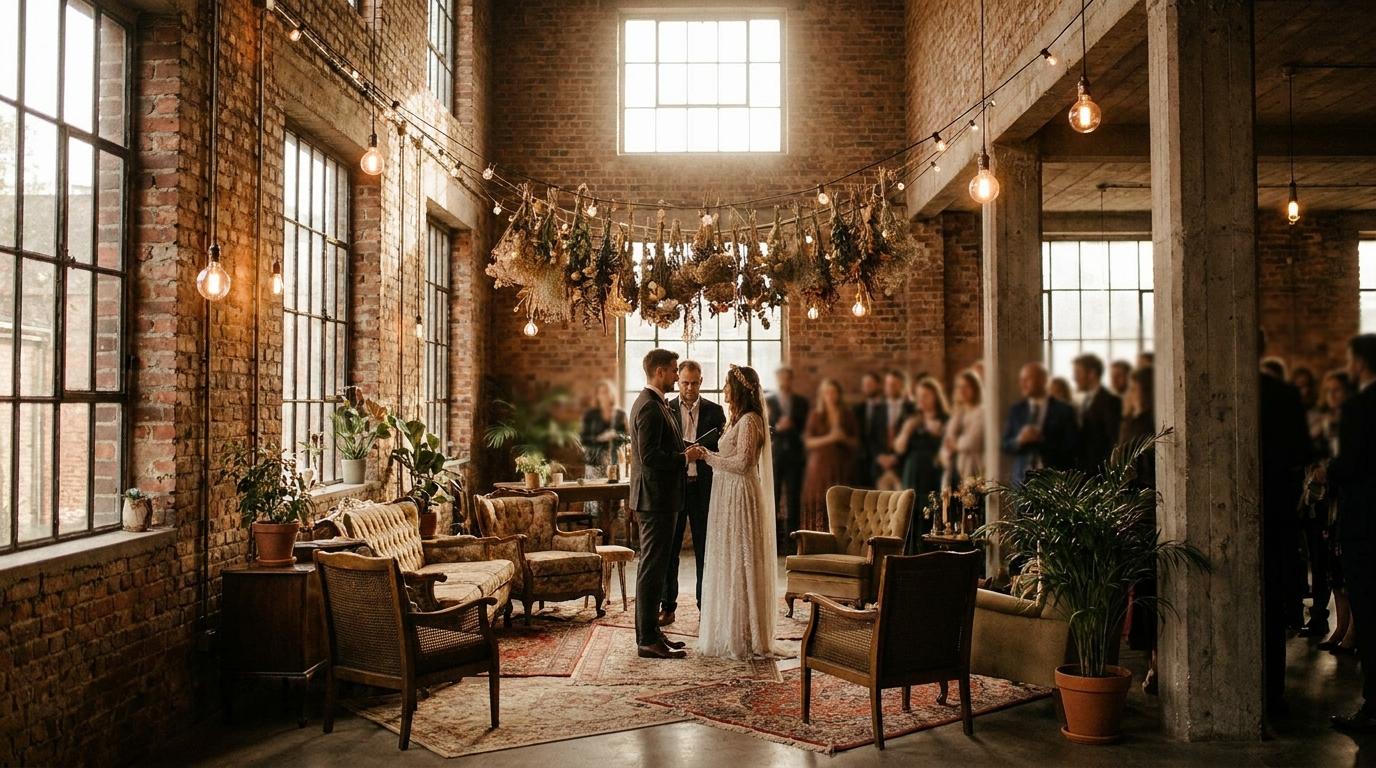
The process is straightforward:
Step 1: Curate Your Photos
Select 30-80 photos that tell your wedding story. Include a mix of:
- Wide establishing shots
- Intimate close-ups
- Detail shots (rings, flowers, venue)
- Emotional moments (first look, vows, toasts)
- Candid celebrations (dancing, laughing, hugging)
Step 2: Choose Your Style
Select a cinematic style that matches your personality and the mood you want to create. Consider your venue — a beach wedding might suit a warm, sun-kissed style, while a city hall ceremony might look best with modern cinematic treatment.
Step 3: Select Music
Choose a song that means something to you. Your first dance song, a track that was playing during key moments, or simply a melody that captures the feeling of your day.
Step 4: Let AI Work Its Magic
Upload your photos, select your preferences, and let the AI generate your video. Most services produce a preview within 24-48 hours, with the final polished version ready in 3-7 business days.
Step 5: Review and Refine
Good services let you request adjustments — maybe you want more time on a particular photo, a different transition between scenes, or a style tweak. This collaborative process ensures the final video matches your vision.
Tips for the Best Results
- More photos = better video.Aim for at least 30 high-quality images. The AI works best with variety.
- Sequence matters.Arrange photos in chronological order to create a natural story flow.
- Include faces.Close-up portraits generate the most emotional impact in AI video.
- Avoid heavy filters.Photos that are already heavily filtered or edited can confuse AI depth estimation.
- Consider photo restoration first.If your photos are old or damaged,restoring old wedding photosbefore video generation will dramatically improve results.
- Think about aspect ratio.If the video is primarily for social media, consider vertical (9:16) format. For viewing on TV, stick with widescreen (16:9).
The Technology Behind the Magic
For those curious about what's happening under the hood: modern AI wedding video generators use a combination of technologies:
- Monocular depth estimation— neural networks that can infer 3D structure from a single 2D image
- Neural radiance fields (NeRF)— a technique for generating novel views of a scene from limited input images
- Optical flow analysis— understanding how pixels should move to create natural-looking camera motion
- Style transfer networks— applying cinematic color grading and film-like characteristics to generated footage
- Temporal coherence models— ensuring smooth, consistent motion across the entire video sequence
These technologies have improved dramatically in the past two years. Early AI video generators produced jittery, unnatural results. Today's tools create footage that professional editors struggle to distinguish from real camera captures.
AI wedding video industry reportdives deeper into the technology and where it's heading.
Frequently Asked Questions
Can AI really make a video that looks like it was filmed by a professional?
For certain types of shots — especially slow, cinematic movements and transitions — yes, the results are remarkably convincing. AI excels at creating smooth camera movements, beautiful transitions, and cinematic color grading. Where it has limitations is with fast action, complex crowd scenes, and of course, live audio. For a highlight reel or social media video, AI-generated footage can be genuinely indistinguishable from professional work.
How many photos do I need for a good AI wedding video?
We recommend 30-80 photos for a 2-4 minute video. Fewer than 30 may not provide enough variety for smooth transitions, while more than 80 can make the video feel rushed if you're aiming for a specific length. Quality matters more than quantity — 40 excellent photos will produce a better video than 100 mediocre ones.
Can I use my phone photos, or do I need professional photographer images?
Both work, but professional photos produce better results due to their higher resolution, better composition, and superior lighting. That said, modern smartphone photos (especially from recent iPhones and Samsung Galaxy devices) are high enough quality to produce excellent AI videos. The key is resolution — aim for images that are at least 2 megapixels.
Will the AI video include audio from my wedding?
No — AI video generation works with photos, which contain no audio. The video will include your chosen music track. If you want to include live audio like vows or toasts, you'll need actual video footage. This is why many couples choose to have both a photographer and a videographer, or use AI video as a complement to their existing footage.
Can I create an AI wedding video years after my wedding?
Absolutely. This is one of the biggest advantages of AI video generation — it works with any photos, regardless of when they were taken. Many of our clients create videos from weddings that happened 10, 20, or even 40+ years ago. As long as you have the photos, you can create the video.
Transform Your Wedding Photos Into Cinema
Your wedding photos deserve more than a digital album collecting dust. With AI video generation, those still images can become a cinematic film that moves you — and everyone you share it with — every single time you watch it.
AI video generator servicebrings your photos to life.
Ready to Transform Your Wedding Memories?
Tell us about your project and we'll get back within 24 hours with a free quote.
Get a Free Quote →