

WeddingAI.video Blog
Restore Old Wedding Photos + AI Video at $9.9 (Firefly Free + Us $9.9)
Learn how to restore old wedding photos and add color to black and white images using AI. Get stunning results in minutes. Try it today!
9 min read · Updated 2026-09-25
Your grandparents' wedding photo sits in a faded frame on the mantle — edges curled, colors gone, faces barely visible. You love that photo, but it's slipping away. The good news? You can restore old wedding photos to their original glory using AI technology, and you don't need to be a Photoshop expert to do it.

Whether you want to colorize a black and white wedding photo or repair decades of damage, modern AI tools make the process faster, cheaper, and more accessible than ever before. This guide walks you through every option so you can preserve your family's wedding memories for another generation.
Why Old Wedding Photos Deteriorate Over Time
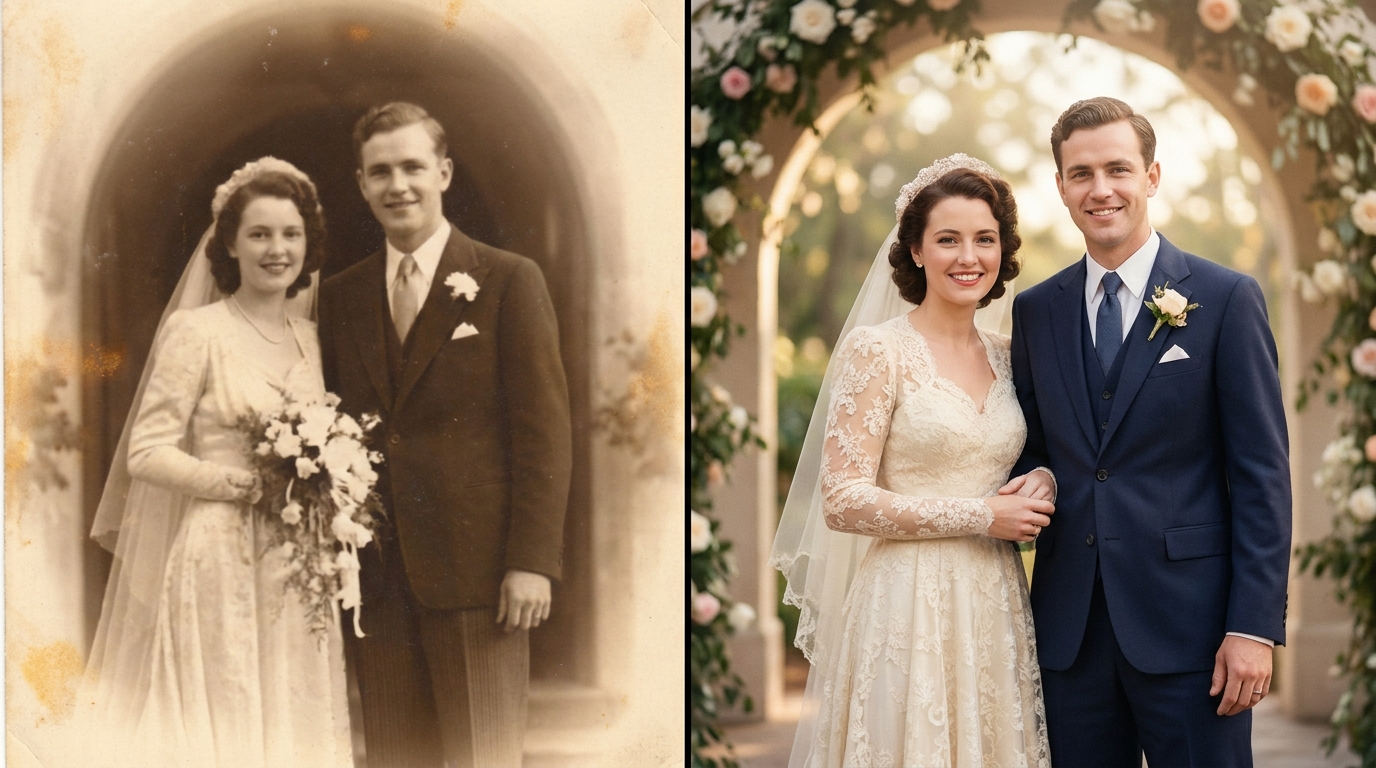
Before you can fix a problem, it helps to understand it. Wedding photos from the 1940s through the 1980s face several common forms of deterioration:
- Fading: Chemical processes in older prints break down over time, especially when exposed to sunlight or humidity.
- Yellowing: Paper-based photos develop a yellow or sepia tint as the chemicals oxidize.
- Physical damage: Creases, tears, water stains, and scratches accumulate over decades of handling and storage.
- Color shifting: Even color photos from the 1970s and 1980s often suffer from severe color casts due to unstable dyes.
- Loss of detail: Over time, the fine details in faces, lace, and textures can blur or disappear entirely.
National Archivesnotes that photographic prints can begin deteriorating within 20 to 30 years if not stored in archival conditions. Most family photos are not stored in archival conditions.
What AI Photo Restoration Can Actually Do
AI photo restoration has advanced dramatically in the past few years. Here's what current technology can handle:
Colorization of Black and White Photos
AI models trained on millions of historical photographs can predict realistic colors for black and white wedding photos. The technology analyzes skin tones, fabric textures, architectural elements, and lighting to generate natural-looking color. While the colors are educated predictions rather than exact recreations, modern AI colorization is remarkably accurate — particularly for wedding attire, flowers, and skin tones.
Damage Repair and Reconstruction
AI can fill in missing areas of a photo by analyzing surrounding pixels and patterns. Torn corners, creases across faces, and water damage can all be significantly reduced or eliminated. The AI essentially "paints in" what it believes should be there based on context.
Upscaling and Sharpening
Old photos often have low resolution by modern standards. AI upscaling can increase the resolution of a wedding photo by 2x, 4x, or even 8x while adding realistic detail. This means you can print a small snapshot as a large wall portrait — something impossible with traditional scanning alone.
Noise and Grain Removal
Film grain and scanner artifacts can make old photos look rough. AI denoising removes this grain while preserving important details like facial features and fabric textures.
How to Restore Old Wedding Photos: Step-by-Step
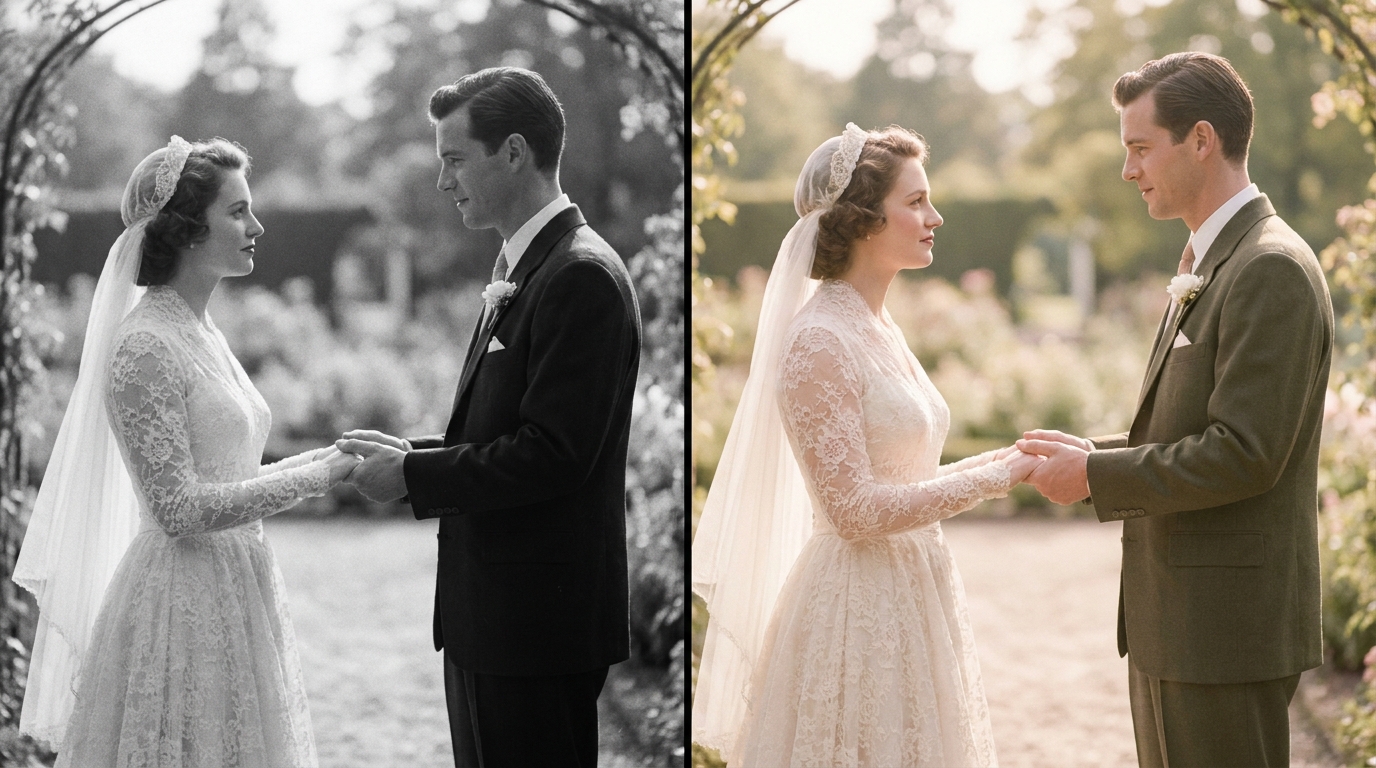
You have three main paths for restoring old wedding photos. Each has different tradeoffs in cost, quality, and effort.
Option 1: AI-Powered Online Services
The fastest and most accessible option is using an AI-powered restoration service. These platforms let you upload a scan of your photo and receive a restored version, often within minutes.
How it works:
- Scan your old photo at the highest resolution possible (at least 300 DPI, ideally 600 DPI)
- Upload the scan to the AI restoration platform
- Select your desired enhancements (colorization, damage repair, upscaling)
- Download the restored result
Best for:Quick results, people who aren't tech-savvy, and photos with moderate damage.
AI video generation, you'll find that many of the same underlying technologies power photo restoration. The AI models that generate video from photos share similar neural network architectures with those that restore and colorize old images. Many couples use ourAI video generatorto turn restored photos into animated films.
Option 2: Professional Photo Restoration Services
For severely damaged photos or images with deep sentimental value, a professional restorer combines AI tools with manual editing. A skilled professional can handle complex damage — like a torn face or missing portions of the image — that automated tools might struggle with.
What to expect:
- Cost ranges from $25 to $150+ per photo depending on damage severity
- Turnaround time of 3 to 14 days
- Higher quality results for heavily damaged photos
- Manual color correction to ensure accuracy
Best for:Irreplaceable photos with significant damage, or when you need print-quality results.
Option 3: DIY With Software
If you're comfortable with photo editing software, you can use tools like Adobe Photoshop (which now includes AI-powered neural filters for colorization) or standalone applications.
Pros:Full control over the process, no per-photo fees.Cons:Steep learning curve, time-intensive, results depend on your skill level.
Tips for Getting the Best Results When You Restore Old Wedding Photos
The quality of your restored photo depends heavily on the quality of your starting scan. Follow these guidelines:
Scanning Best Practices
- Use a flatbed scanner, not a phone camera, for the initial capture. Phone photos introduce distortion, uneven lighting, and lower detail.
- Scan at 600 DPI minimum. Higher is better. This gives the AI more data to work with.
- Save as TIFF or PNG, not JPEG. JPEG compression discards detail that you can't recover later.
- Clean the scanner glassand the photo surface before scanning. Dust and fingerprints become permanent artifacts in the digital file.
- Scan the back of the phototoo — old photos often have handwritten dates, names, or locations that you'll want to preserve.
Choosing the Right Photo to Restore
Not every photo is a good candidate for restoration. Prioritize photos that have:
- A clear, identifiable subject (faces you can recognize)
- Moderate rather than extreme damage
- Enough contrast to distinguish features
- Historical or emotional significance to your family
Photos that are almost completely white, severely torn through faces with no remaining detail, or extremely blurry may not produce satisfying results even with AI.
Colorization Accuracy Tips
When you colorize a black and white wedding photo, AI makes educated guesses about colors. You can improve accuracy by:
- Providing context: If you know Grandma's dress was ivory (not white), or the flowers were red roses, note this when using services that accept color hints.
- Researching the era: Wedding dress colors, suit styles, and floral arrangements followed trends. A quick search for "1950s wedding fashion" can help you verify the AI's color choices.
- Checking skin tones: AI sometimes produces unnatural skin tones. Look for even, realistic coloring without oversaturation.
Using Restored Photos to Create Something New
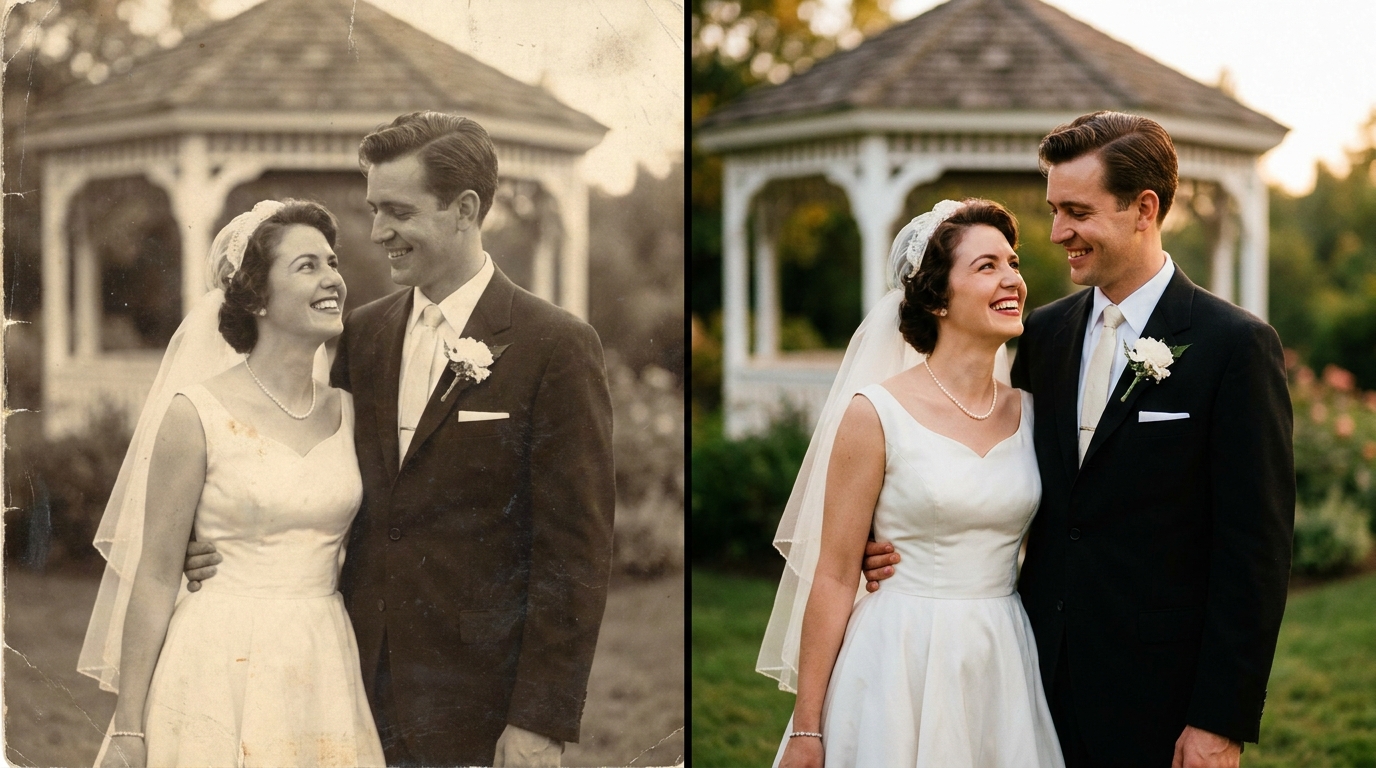
Once you restore old wedding photos, you can use them for much more than just framing. Consider these creative options:
Create a Family Wedding Video
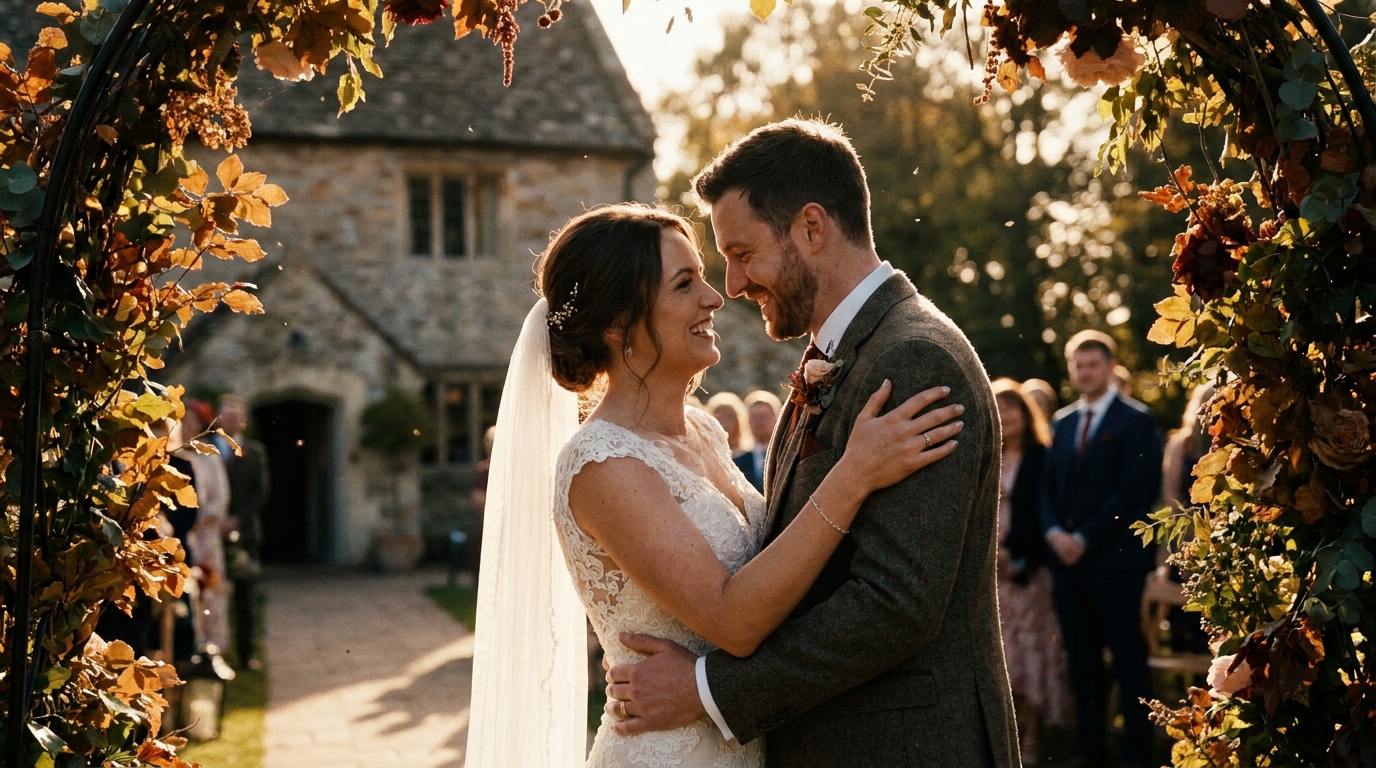
cinematic wedding video from photos. Imagine a film that transitions from your grandparents' 1955 ceremony to your parents' 1985 wedding to your own — all in vivid, restored color. This kind of multi-generational tribute is one of the most moving video projects you can create.
Build a Wedding Photo Slideshow
wedding photo slideshowthat captivates your audience.
Print and Frame Restored Portraits
A restored and upscaled wedding photo can be printed at sizes the original never supported. Turn a 3x5 snapshot into a 16x20 canvas print for a meaningful gift.
Share Digitally With Family
Once restored, digital photos are easy to share with relatives through family group chats, cloud albums, or social media. Many families discover that cousins and siblings have different photos from the same wedding — restoring and combining them creates a more complete record.
What About Video Restoration?
restore old wedding videosusing AI upscaling, stabilization, and color correction. The process for video is more complex than photo restoration, but the results can be equally transformative.
Old wedding videos face additional challenges like tape degradation, tracking errors, and interlacing artifacts. AI tools can address all of these, often producing footage that looks significantly better than the original recording.
How Much Does It Cost to Restore Old Wedding Photos?
| Method | Cost Per Photo | Quality | Time Required | |--------|---------------|---------|---------------| | AI online service | $1–$10 | Good to Very Good | Minutes | | Professional restorer | $25–$150+ | Excellent | 3–14 days | | DIY software | Free (after software purchase) | Varies by skill | 30 min–2 hours per photo |
For most people with a handful of photos to restore, an AI service offers the best balance of quality, speed, and cost. If you have dozens of photos, the per-photo cost of an AI service adds up quickly — in that case, a software subscription or professional bulk service may be more economical.
Preserving Your Restored Photos for the Future
Once you've restored your old wedding photos, take steps to ensure they last:
- Store the digital files in multiple locations: external hard drive, cloud storage, and at least one backup.
- Use archival file formats: TIFF for master files, JPEG only for sharing copies.
- Print on archival paperif you want physical copies that last 100+ years.
- Record the metadata: Write down who is in each photo, the date, location, and any stories associated with the image. Future generations will thank you.
- Consider creating a video backup: Turning your restored photos into avideo formatensures they're preserved in a dynamic, easily shareable medium.
Frequently Asked Questions
Can AI accurately colorize a black and white wedding photo?
AI colorization is surprisingly accurate for common elements like skin tones, sky, foliage, and typical wedding attire. However, specific colors — like the exact shade of a bouquet or a suit — are predictions, not guarantees. You can improve accuracy by providing color hints if the service supports it.
What resolution should I scan old wedding photos at?
Scan at a minimum of 300 DPI for basic restoration, and 600 DPI or higher if you plan to upscale or print at larger sizes. Higher resolution scans give AI models more data to work with, producing cleaner and more detailed results.
Is it possible to restore a wedding photo that is severely damaged?
AI can handle moderate to significant damage including creases, fading, small tears, and discoloration. Severely damaged photos — where large portions of the image are missing or faces are destroyed — may require professional manual restoration in addition to AI tools.
How long does AI photo restoration take?
Most AI restoration services process a single photo in under five minutes. Some complex restorations or high-resolution upscaling jobs may take up to 15 minutes. Professional services with manual editing typically take 3 to 14 days.
Can I restore old wedding photos on my phone?
Yes, several mobile apps offer AI photo restoration. However, for best results, scan the photo with a proper flatbed scanner first and then upload the high-resolution scan to the restoration service. Phone-captured photos of physical prints lose significant detail.
Ready to Restore Your Family's Wedding Memories?
Don't let faded photos and damaged prints erase your family's love story. With AI-powered restoration, you can bring old black and white wedding photos back to life in vivid color and stunning detail — often in just minutes.
Whether you want to restore a single cherished portrait or build a multi-generational family wedding film, WeddingAI.video can help. Our AI technology handles colorization, damage repair, and upscaling so you can focus on what matters: preserving the memories.
Ready to Transform Your Wedding Memories?
Tell us about your project and we'll get back within 24 hours with a free quote.
Get a Free Quote →