

WeddingAI.videoブログ
ビデオから結婚式のミームと GIF を作成する方法
結婚式のビデオを陽気なミームや GIF に変えましょう。ゲストが気に入るウェディングミームを作成するための簡単なツールとコツを学びましょう。今日から作成を始めましょう!
9 min read
Your wedding video is full of gold — that moment your flower girl face-planted into the cake, your best man's jaw dropping during the vows, or your grandma busting moves nobody expected.これらは、家族のグループ チャットで伝説となるクリップです。 Turning them into wedding memes and GIFs is easier than you think, and it's the perfect way to keep the celebration going long after the last dance.
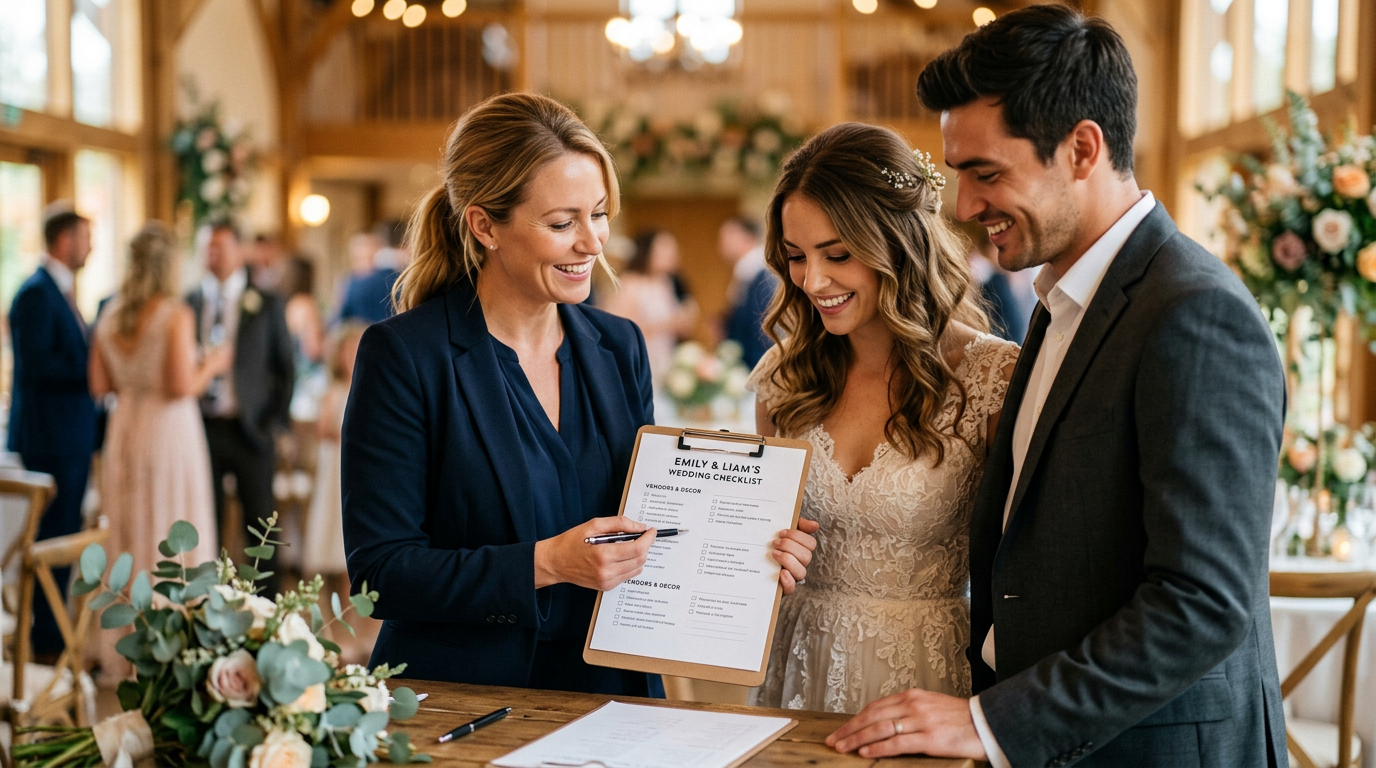
ウェディングミームが結婚式後の究極の記念品である理由

反応。パートナーがあなたを初めて見たときの一瞬、父と娘のダンス中のお父さんの表情、あるいは間違いなくシャンパンフルートを一本飲みすぎたブライズメイドなど、こうしたマイクロモーメントはコメディの金字塔です。
ピュー研究所、50 歳未満の成人の 80% 以上が定期的にソーシャル メディアを使用しており、結婚式のコンテンツは常に最も共有されているカテゴリにランクされています。タイミングよく結婚式の GIF を投稿すると、数日以内に数千ものシェアを集めることができます。
しかし、結婚式のミームはソーシャル メディアの影響力を超えて、より深い目的を果たします。
- 彼らは思い出を生き続けます楽しくてアクセスしやすい形式で
- 彼らは不在のゲストに与えます雰囲気の味
- 彼らは内輪のジョークを生み出すあなたのウェディングパーティーを何年にもわたって結びつける
- 結婚式のアルバムを作ってくれますフォーマル感がなくなり、より充実した気分になれますあなた
素晴らしい結婚式のミームとは何でしょうか?
すべてのクリップがミームに値するわけではありません。最高の結婚式のミームには、いくつかの重要な特徴があります。
共感できる感情
最も面白い結婚式のミームは、普遍的な経験を活用しています。花束を受け取るときのパニック、知らない人たちと一緒に座るときの気まずさ、DJ が間違った曲をかけたときの混乱などは誰もが知っています。あなたのクリップが何千人もの人々が認識する感情を捉えたものであれば、それはあなたの個人的な結婚式を超え、共有可能なコンテンツになります。
完璧なタイミング
ミームが生きるか死ぬかはタイミングによって決まります。クリップを正確な瞬間にトリミングする必要があります。通常、GIF の場合は 2 ~ 6 秒、ビデオ ミームの場合は 30 秒未満です。長すぎるとオチが失われてしまいます。短すぎると文脈が消えてしまいます。
適切なキャプション
テキスト オーバーレイは結婚式のミームを作るか壊します。古典的な形式には次のようなものがあります。
- 前/後:「オープンバー前の私」→「オープンバー後の私」
- 期待と現実: Pinterest にぴったりの最初のダンスと実際のつまずきを示す
- リアクションショット: 機知に富んだキャプションで人の顔をキャプチャします。
- 歌の歌詞のオーバーレイ: 面白い瞬間をトレンドのオーディオクリップと組み合わせる
面白い結婚式のビデオクリップを抽出する方法
ミームを作成するには、原材料が必要です。結婚式の映像から最高の瞬間を引き出す方法をご紹介します。
ステップ 1: 完全な映像を確認する
ビデオ撮影者を雇った場合は、おそらく何時間もの生の映像があるでしょう。パートナーと一緒に座って、笑った瞬間をメモ帳 (またはタイムスタンプ リスト) に記録しながら、最後まで見てください。探す:
- ゲストからの予想外の反応
- 予測不可能なことをする子供たち
- ダンスフロアの失敗と勝利
- 健全なミームでもある感情的な瞬間
- ゲストが見たことのない舞台裏の混乱
ステップ 2: クリップをトリミングしてエクスポートする
携帯電話の内蔵ビデオエディターまたは CapCut などの無料ツールを使用して、必要な瞬間を正確にトリミングします。各クリップを個別のファイルとしてエクスポートします。 GIF の場合、次のことを目指します。
- 間隔:2~6秒
- 解像度: 480p ~ 720p (GIF には 4K は必要ありません)
- ファイルサイズ: 10MB未満で簡単に共有できます
ビデオ ミームの場合は、ソーシャル メディア用に 30 秒以内に保ち、1080p でエクスポートします。
ステップ 3: AI を活用したツールを使用する
AIビデオジェネレーターは、結婚式のビデオから最も魅力的な瞬間を自動的に特定します。 AI は顔の表情、音声のピーク、動きのパターンを分析して、共鳴する可能性が最も高いクリップを浮かび上がらせます。
結婚式のミームとGIFを作成するための最高のツール
プロのような結婚式のミームを作成するのに映画の学位は必要ありません。あらゆるスキル レベルに最適なツールは次のとおりです。
初心者向け(無料オプション)
- ジフィー: 古典的な GIF メーカー。クリップをアップロードし、テキストを追加して、すぐに共有します。シンプルなリアクションGIFに最適です。
- カンバ: ビデオミームにとって驚くほど強力です。テキスト オーバーレイと効果を備えたドラッグ アンド ドロップ テンプレート。
- Instagramリール編集者: 内蔵のテキスト、ステッカー、トレンドのオーディオ。アルゴリズムの波に乗るミームの作成に最適です。
中級クリエイター向け
- キャップカット:無料で強力で、自動キャプション、スピードランプ、エフェクトなどのミームに適した機能が満載です。
- インショット: あらゆるプラットフォームに対応した優れたテキスト ツールとアスペクト比コントロールを備えたモバイル ファースト エディター。
- EZGIF: 正確なフレーム制御を備えたブラウザベースの GIF メーカー。完璧なループを抽出するのに最適です。
プロ品質の結果を得るために
- Adobe プレミア ラッシュ: 簡素化されたインターフェイスでのデスクトップ品質の編集。
- ファイナルカットプロ: 完全にコントロールしたい Mac ユーザーの場合。
- ミームジェネレーター: 結婚式の瞬間のために特別に設計されたテンプレートを備えた、結婚式専用のコンテンツ。
すぐに始められるウェディングミームのアイデア 10 選
インスピレーションが必要ですか?結婚式の映像に最適であることが証明されている同じフォーマットを以下に示します。
📸 画像の提案 1:ファーストダンスの「期待と現実」を示す分割画面の結婚式のミーム。代替テキスト: 「面白い結婚式のミームの期待と現実のファーストダンス」
📸 画像の提案 2: 家族のグループ チャットで共有されている結婚式の GIF が表示された電話画面。代替テキスト: 「家族のグループ チャットで結婚式のミームと GIF を共有する」
- 「泣いてないよ」という反応— 誓いの最中に明らかに涙を流し、「私は泣いていない、あなたが泣いている」というキャプションが付いている人
- ダンスフロアの進化— 夕方の正式なダンスと午後 11 時の混乱を示す分割画面
- 花束回避— ブーケトスを積極的に避けるゲストのスローモーション
- リングベアラーの反乱— 通路を歩くことを拒否する子供たち
- 写真家の視点— 奇妙な姿勢に身をよじるフォトグラファーの舞台裏
- ケーキカットの不安— 最初のスライスを前にした、あの一瞬の迷い
- ゲストリストと実際のゲストの比較— 空席と満員のダンスフロア
- DJリクエスト— 誰かが曲をリクエストし、DJ の顔がすべてを物語っているとき
- 翌朝— 新しいゲストと夜の終わりの写真を比較したグループ チャットのスクリーンショット
- 親の反応— パパとママの心の旅が5秒に凝縮
プラットフォーム間で結婚式の GIF を共有する方法
ミームの作成は戦いの半分です。残りの半分は効果的に共有することです。
家族のグループチャット
プライベート共有の場合は、WhatsApp、iMessage、または Messenger を通じて GIF を直接送信します。これらのプラットフォームには GIF サポートが組み込まれているため、結婚式の GIF を GIPHY にアップロードし、名前で検索することもできます。
ソーシャルメディア
- インスタグラム: トレンドのオーディオを含むリールを投稿するか、GIPHY ステッカー統合を使用してストーリーに GIF を追加します
- TikTok: ここでは結婚式のコンテンツが非常に好調です。 #WeddingMemes、#WeddingFail、#MarriedLife などの関連するハッシュタグを使用します。
- フェイスブック: 今でも大家族や年配のゲストと共有するための頼りになるプラットフォーム
ウェディングウェブサイト
結婚式の Web サイトにミーム ギャラリーを追加します。出席したゲストはその瞬間を追体験し、見逃したゲストは祝賀会の楽しいプレビューを視聴することができます。
結婚式のビデオソーシャルメディアエンゲージメントを最大限に高めるための戦略。
AI 支援によるウェディング ミームの作成
AI ツールにより、ミームの作成はこれまでよりも迅速かつアクセスしやすくなりました。結婚式のミームに AI を活用する方法は次のとおりです。
自動瞬間検出
AI は、何時間もの映像をフレームごとに見る代わりに、ビデオをスキャンして、笑い声、息をのむ音、拍手、突然の動きなど、感情が最も高まる瞬間にフラグを立てます。
スマートトリミング
AI は面白い瞬間の正確な開始点と終了点を識別し、GIF が完璧にループし、ミーム クリップが適切な瞬間にヒットすることを保証します。
テンプレートマッチング
最新の AI ミーム ジェネレーターはクリップを分析し、それに組み合わせる最適なミーム形式を提案します。ショックを受けた顔?こちらが反応テンプレートです。ダンス失敗?こちらは分割前と分割後の画面です。
ミームジェネレーターこれら 3 つの機能をすべて組み合わせて、プロ品質のウェディング ミームを数時間ではなく数分で作成できます。結婚式の映像を再利用するその他の方法をお探しの場合は、結婚式の生の映像のアイデアガイド。
法的およびエチケットに関する考慮事項
「投稿」をクリックする前に、次のガイドラインに留意してください。
- 同意を得るあなたのミームで目立って登場した人から。許可を求める簡単なテキストメッセージは大いに役立ちます。
- 親切にしておいてください— 面白いことは素晴らしいことですが、意地悪なことはそうではありません。出演者全員が一緒に笑ってくれるようにしてください。
- プライバシーを尊重する— 恥ずかしい瞬間やデリケートな瞬間を暴露するミームを許可なく共有することは避けてください。
- ビデオ撮影者の功績を称えるプロの映像を使用している場合。契約に別段の定めがない限り、彼らは著作権を所有します。
結婚式のミームを拡散させるためのヒント
あなたのミームを友人グループを超えて広めたいですか?次の戦略に従ってください。
- ピーク時間帯に投稿する— 通常、平日は午後 7 時から午後 9 時まで、週末は午前 10 時から午後 12 時までです
- トレンドのオーディオを使用するTikTokとReelsでアルゴリズムに乗る
- コメントを促すキャプションを書く— 質問したり、友達にタグを付けたりする
- シリーズを作成する— 「ウェディング ミーム マンデー」は人々を魅了し続ける
- クロスポストそれぞれのフォーマットに若干の変更を加えてプラットフォーム間で共有
よくある質問
携帯電話から結婚式のミームを作成できますか?
はい。CapCut、InShot、そして Instagram の内蔵エディタのようなアプリで、驚くほど洗練されたビデオをスマートフォンで作成できます。より高度な作業には、DaVinci Resolve がデスクトップで無料で利用でき、プロも使用しています。ツールはずいぶん進化したものです。
結婚式のGIFの長さはどのくらいにすべきでしょうか?
理想的な結婚式の GIF の長さは 2 ~ 6 秒です。これにより、瞬間全体をキャプチャしながら、ファイル サイズを管理しやすく共有できるようになります。ソーシャル メディア上のビデオ ミームの場合は、15 ~ 30 秒が最適です。
私の結婚式のビデオからミームを作成しても大丈夫ですか?
はい、これはあなたのビデオであり、あなたのお祝いです。公に共有する前に、目立つように表示される人から必ず同意を得てください。ほとんどのゲストは、面白い結婚式のミームに登場することに興奮しています。
WeddingAI.video は結婚式のミームの作成に役立ちますか?
ミームジェネレーターAI を使用して結婚式の映像の中から最も面白い瞬間を特定し、共有可能なミームや GIF を数分で作成できるようにします。
結婚式のミームはどのような形式にすべきでしょうか?
GIF は 6 秒未満の短いループリアクションに最適です。MP4 動画ファイルは、音声や音楽を含む長いミームに適しています。多くのソーシャルメディアプラットフォームは 1080p の MP4 を好みます。
あなたの結婚式を思い出に残るミームに変える準備はできていますか?
結婚式のビデオには、涙の誓いからダンスフロアでの壮大な失敗まで、共有する価値のある瞬間が詰まっています。
WeddingAI.video のミーム ジェネレータープロセスを速く、楽しく、イライラのないものにします。当社の AI が最高の瞬間を特定するので、キャプションに集中できます。