

WeddingAI.video Blog
Send Large Wedding Video — AI $9.9 Fits Email (50-100MB)
Share your wedding video with family without losing quality. Learn the best methods to send large wedding video files quickly and securely.
9 min read · Updated 2026-10-04
How to Send Large Wedding Video Files to Family (Without Losing Quality)
You've just received your finished wedding video and it's gorgeous. Now comes the challenge: how do you share a 2GB (or 10GB, or 20GB) video file with your parents, grandparents, and that aunt who lives across the country? Email attachment limits laugh at you. WhatsApp compresses your cinematic masterpiece into pixelated mush. And your grandma definitely isn't going to figure out a torrent link. Don't worry — there are several reliable ways to send large wedding video files without sacrificing the quality you paid for.
Why Wedding Video Files Are So Large

Before diving into solutions, it helps to understand why your wedding video is such a hefty file. A professional wedding video shot in 4K resolution can easily reach 10-30GB for a full-length film, and even a 5-10 minute highlight reel can be 500MB-2GB.
File Size Factors
- Resolution: 4K video contains four times the data of 1080p. A 4K wedding video at 30fps produces roughly 375MB per minute of footage.
- Bitrate: Higher bitrate means better quality but larger files. Professional wedding videos typically use 50-100 Mbps bitrate.
- Length: A full wedding film (60-90 minutes) at 4K can be 15-30GB. A highlight reel (5-10 minutes) is much more manageable at 1-3GB.
- Codec: H.265/HEVC files are roughly 50% smaller than H.264 at the same quality, but not all devices can play them.
Why Compression Isn't Always the Answer
Compressing your wedding video to make it smaller inevitably reduces quality. Colors become less vivid, details get muddy, and fast-moving scenes (like dancing) show compression artifacts. For a once-in-a-lifetime video, this quality loss matters. The goal is to share the full-quality file, not a degraded version.
Method 1: Cloud Storage Services
Cloud storage is the most reliable way to share large wedding video files. Upload once, share a link, and let recipients download at their own pace.
Google Drive
- Free storage: 15GB (enough for most highlight reels)
- Paid plans: 100GB for $1.99/month, 2TB for $9.99/month
- Max file size: 5TB (more than enough for any wedding video)
- Sharing: Generate a shareable link, set permissions (view-only or download)
- Best for: Families already in the Google ecosystem
cloud storage servicesavailable, with robust sharing features.
📸 Image Suggestion 1: Screenshot of a Google Drive sharing dialog showing a wedding video file with link sharing enabled. Alt text: "send large wedding video files via Google Drive sharing"
📸 Image Suggestion 2: A family gathered around a TV watching a wedding video together. Alt text: "family watching shared wedding video on television"
How to share via Google Drive:
- Upload your wedding video to Google Drive
- Right-click the file → "Share" → "Copy link"
- Set permissions to "Anyone with the link can view"
- Send the link via text, email, or messaging app
- Recipients can stream or download directly
Dropbox
- Free storage: 2GB (too small for most wedding videos)
- Paid plans: 2TB for $11.99/month
- Max file size: 50GB with desktop app
- Sharing: Link sharing with optional password protection
- Best for: Professional workflows and families who need password-protected sharing
iCloud
- Free storage: 5GB
- Paid plans: 50GB for $0.99/month, 200GB for $2.99/month
- Sharing: iCloud Link sharing, AirDrop for nearby devices
- Best for: Apple-only families
OneDrive
- Free storage: 5GB
- Paid plans: 1TB with Microsoft 365 ($6.99/month)
- Sharing: Link sharing with expiration dates
- Best for: Families using Windows and Microsoft products
Method 2: File Transfer Services

For one-time transfers where you don't want to use cloud storage, dedicated file transfer services are ideal.
WeTransfer
- Free: Up to 2GB per transfer
- Paid (WeTransfer Pro): Up to 200GB per transfer, $12/month
- How it works: Upload the file, enter recipient's email, they get a download link
- Link expires: 7 days (free) or configurable (paid)
- Best for: Quick, one-time transfers of highlight reels
Send Anywhere
- Free: Up to 10GB per transfer
- How it works: Upload generates a 6-digit code; recipient enters the code to download
- No account required: Both sender and recipient can use it anonymously
- Best for: Sharing with technologically challenged family members (just read them the code)
Smash
- Free: No file size limit (files under 2GB download instantly; larger files are queued)
- How it works: Upload and share a link
- Best for: Very large full-length wedding films
Method 3: Physical Media
Sometimes the old ways work best, especially for family members who aren't comfortable with technology.
USB Flash Drives
- Cost: $5-15 for a 32-64GB drive
- Process: Copy the video file to the drive, mail it or hand-deliver it
- Pros: Works without internet, recipient just plugs it in
- Cons: Can get lost in mail, requires copying time
Pro tip:Buy branded or decorative USB drives and include a printed label with your wedding date. It becomes a keepsake, not just a delivery method. Some couples even include a thank-you note with the drive.
External Hard Drives
For families sharing multiple videos (highlight reel, full film, ceremony only, raw footage), a portable external hard drive offers the best value:
- 1TB portable drive: $40-60
- Copy all wedding video filesto the drive
- Ship itwith insurance and tracking
- Recipient keeps itas a permanent backup
DVDs and Blu-rays
While increasingly old-fashioned, physical discs still work:
- DVD: Holds 4.7GB (enough for a compressed highlight reel)
- Blu-ray: Holds 25-50GB (enough for most full-length wedding films)
- Cost: $2-5 per disc plus shipping
- Best for: Grandparents and family members who prefer physical media
Method 4: Video Hosting Platforms
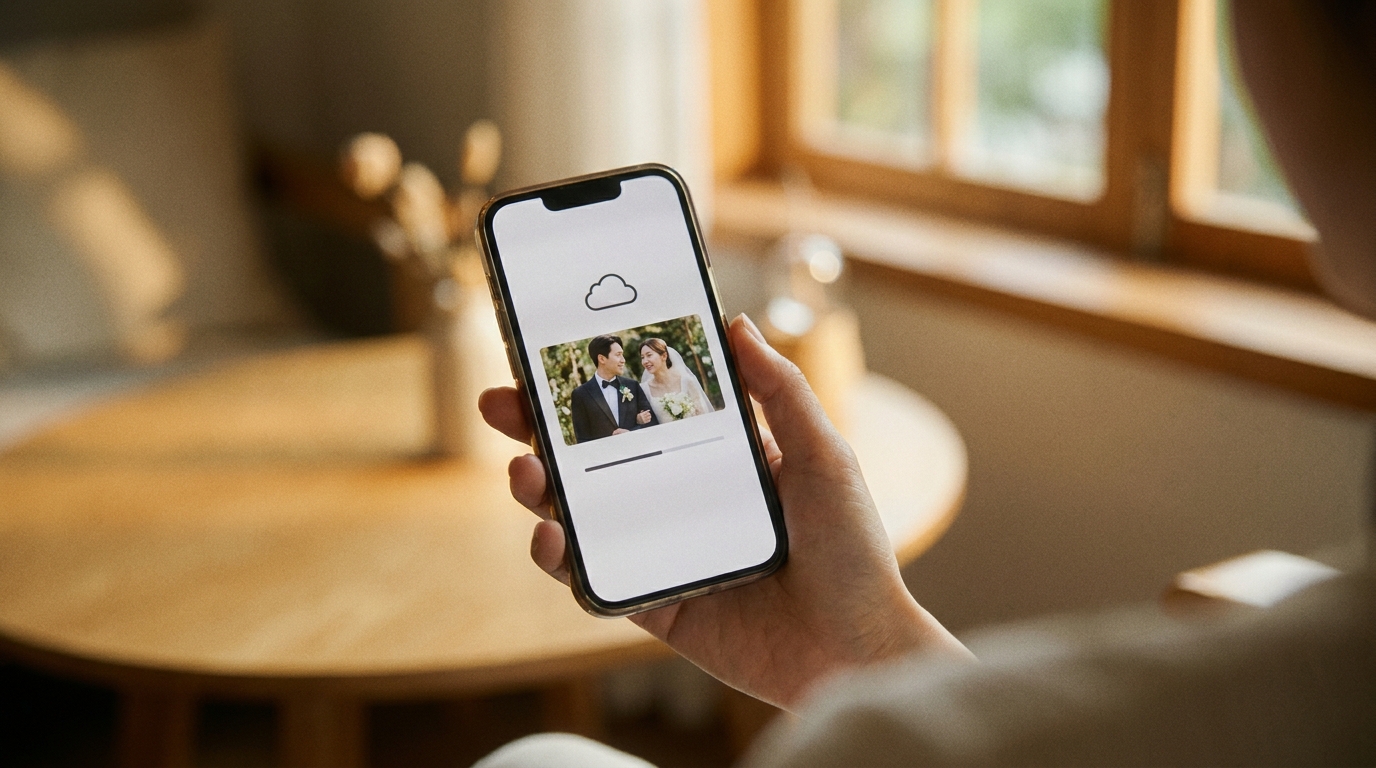
If you want family to watch the video without downloading it, video hosting platforms offer the best experience:
YouTube (Unlisted)
- How it works: Upload to YouTube, set privacy to "Unlisted," share the link
- Pros: Free, unlimited storage, works on any device, streams in full quality
- Cons: YouTube compresses video (some quality loss), ads may appear
- Best for: Wide family sharing where convenience matters more than pixel-perfect quality
Vimeo
- How it works: Upload to Vimeo, set privacy to "Only people with the link"
- Pros: Better quality than YouTube, no ads, password protection, customizable player
- Cons: Free tier limited to 5GB/week; Plus plan ($7/month) needed for serious use
- Best for: Couples who want a premium viewing experience for family
Google Photos
- How it works: Upload to Google Photos, create a shared album or generate a link
- Pros: Free storage (at "Storage saver" quality), easy sharing, automatic organization
- Cons: Compresses video unless you have storage plan; max 1080p on free tier
- Best for: Sharing alongside wedding photos in one place
wedding video social mediastrategies covers optimal formats for each platform.
Choosing the Right Method for Your Family
The best method depends on your specific situation:
| Situation | Best Method | Why | |---|---|---| | Tech-savvy family, highlight reel | Google Drive link | Fast, free, easy | | Tech-savvy family, full film | Dropbox or Smash | Handles large files well | | Mixed tech levels | USB drive + cloud link | Physical backup for those who need it | | Elderly grandparents | USB drive or DVD | No internet required | | International family | Cloud storage (any) | No shipping delays or customs | | Privacy-focused | Vimeo (password) or Dropbox (password) | Control who sees your video | | Permanent archival | External hard drive | No expiration, no subscription |
How to Maintain Video Quality During Transfer

Regardless of which method you choose, follow these tips to ensure your wedding video arrives in perfect quality:
Never Re-Encode
When sharing a video file, send the original file as-is. Don't re-export or re-compress it. Each re-encoding pass degrades quality. If your editor gave you an MP4 file, send that exact MP4 file.
Use the Right Format
Most wedding videographers deliver in MP4 (H.264 or H.265). This is universally playable. If you received a ProRes or MOV file, consider converting to MP4 for easier sharing — but do it once, from the original, using high-quality settings.
Check the File Before Sending
Open the video file on your own device before sharing it. Make sure it plays completely, has audio, and looks correct. There's nothing worse than discovering the file was corrupted after your grandma spent three hours trying to download it.
Include Playback Instructions
Not everyone knows how to play a large video file. Include a note with your share:
- "Click the link to download the video. It may take 10-30 minutes depending on your internet speed."
- "Once downloaded, double-click the file to play it. Works on Windows, Mac, iPhone, and Android."
- "If the file won't play, try downloading the free VLC media player from videolan.org."
video enhancement servicesensure your video looks great on every device, from a 65-inch TV to a smartphone screen.
Sharing Multiple Wedding Videos
Many couples have more than one video to share — a highlight reel, full ceremony, full reception, and maybe raw footage. Here's how to organize multiple files:
Create a Shared Folder
Use Google Drive or Dropbox to create a shared folder with clear subfolders:
📁 Our Wedding Videos 📁 Highlight Reel (5 min) 📁 Full Ceremony (45 min) 📁 Full Reception (2 hours) 📁 Raw Footage
Set Permissions Carefully
- Highlight reel: Open sharing (anyone with the link can view)
- Full ceremony: Open sharing
- Raw footage: Restricted (only share with close family who requested it)
Consider a Wedding Website
Create a simple page on your wedding website with embedded videos (Vimeo or YouTube) and download links. This gives family a single URL to visit for everything.
Frequently Asked Questions
What's the maximum file size I can email?
Most email providers limit attachments to 25MB (Gmail) or 20MB (Outlook). A 25MB attachment is roughly 10-15 seconds of 4K video — not useful for sharing a wedding video. Use cloud storage or file transfer services instead.
How long does it take to upload a large wedding video?
Upload speed depends on your internet connection. A 10GB file takes approximately:
- 15 minutes on a 100 Mbps upload connection
- 1 hour on a 25 Mbps connection
- 5+ hours on a 5 Mbps connection
Will my wedding video lose quality when shared through Google Drive?
No. Google Drive stores and serves the exact file you upload without re-encoding it. The downloaded file will be identical to the original. YouTube and Vimeo do compress video, so use cloud storage if quality is your top priority.
Can WeddingAI.video help me share my wedding video?
Start your projectto learn more.
What's the safest way to send a wedding video internationally?
Cloud storage is the safest method for international sharing. It avoids customs delays, shipping costs, and the risk of physical media being damaged in transit. Google Drive and Dropbox work in virtually every country with internet access.
Share Your Wedding Memories Without the Hassle
Your wedding video deserves to be seen — not stuck on a hard drive because the file is too large to send. Whether you choose cloud storage, file transfer services, or physical media, the methods in this guide will get your wedding video to every family member who wants to relive your special day.
WeddingAI.videoproduces professional-quality wedding films optimized for easy sharing across every platform and device.
Ready to Transform Your Wedding Memories?
Tell us about your project and we'll get back within 24 hours with a free quote.
Get a Free Quote →